Find everything you need to get started with Clockdiary—learn about projects, teams, time tracking, and more.
View Categories
How to Manage Project Access
Clockdiary lets you manage individual access for every project. By updating project access, you can add new members after they are assigned to the project. Access can be changed for individual projects.
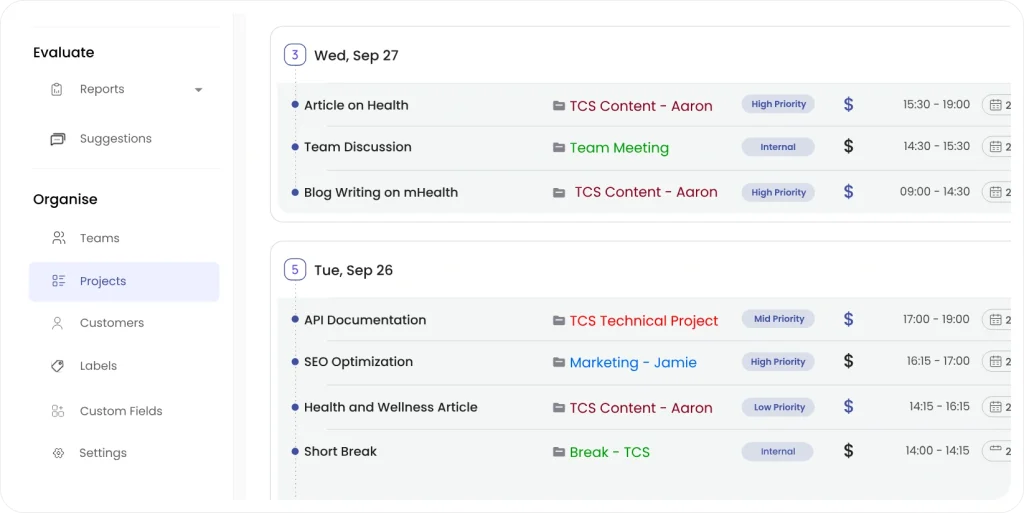
Step 1: To manage access, simply click on Project from the sidebar menu.
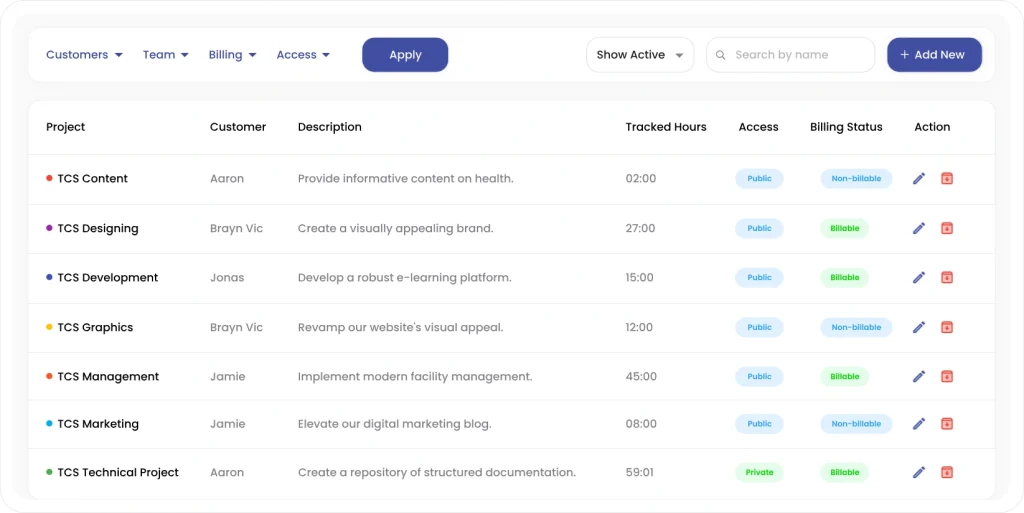
Step 2: All Projects will appear in a tabular format
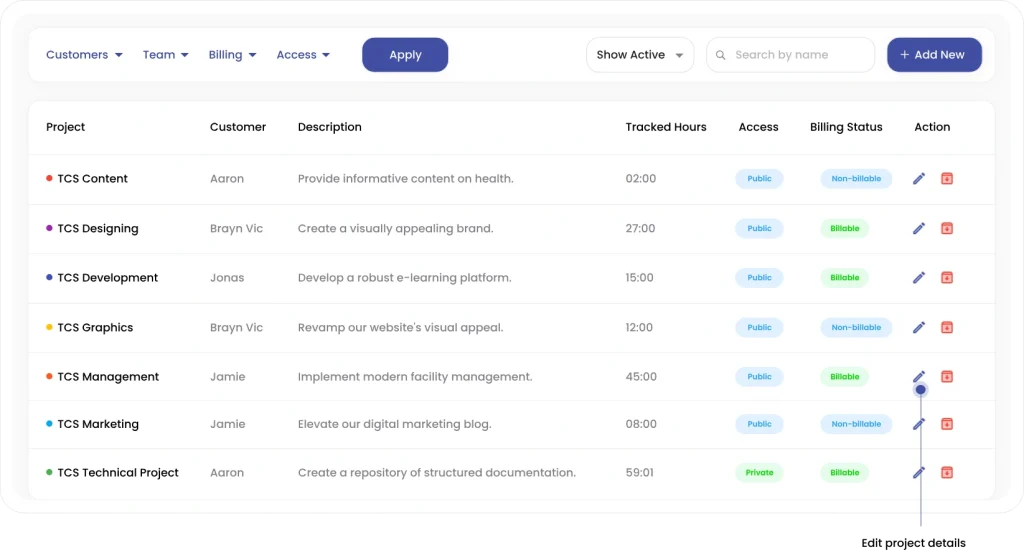
Step 3: Click on the pencil icon adjacent to the project whose access you want to update.
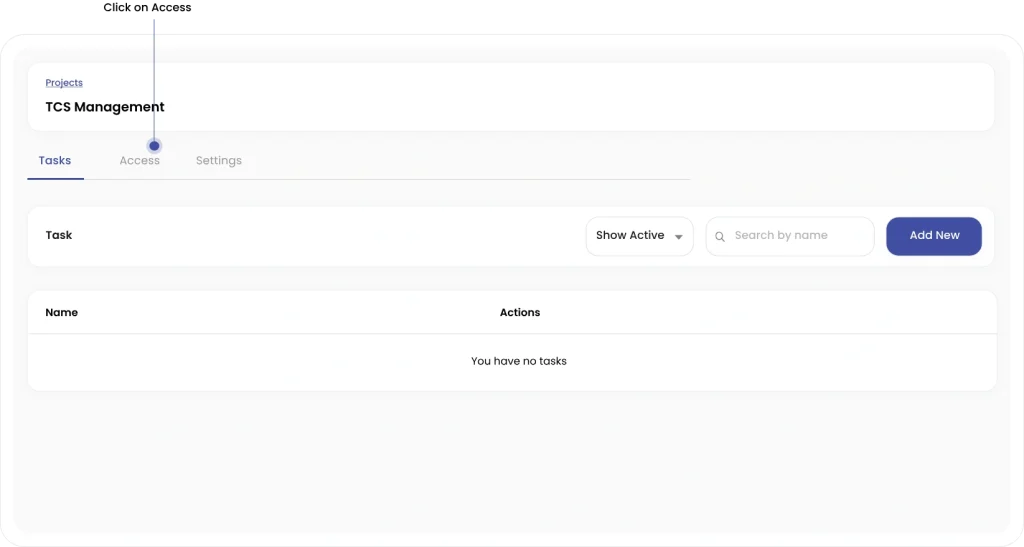
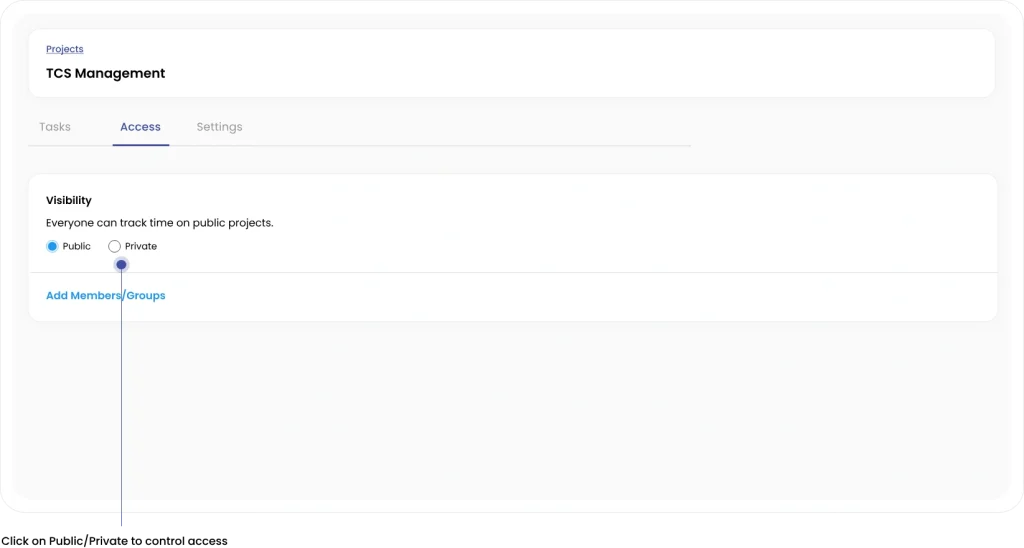
Step 4: Simply click on the Access option in the middle.
Step 5: Click on Public/Private to control access for the selected project.
(Note: A public project is visible to all users, while only users with access to the private project can add the Project to the time recorder. You can add and remove members and groups from the project access screen too)
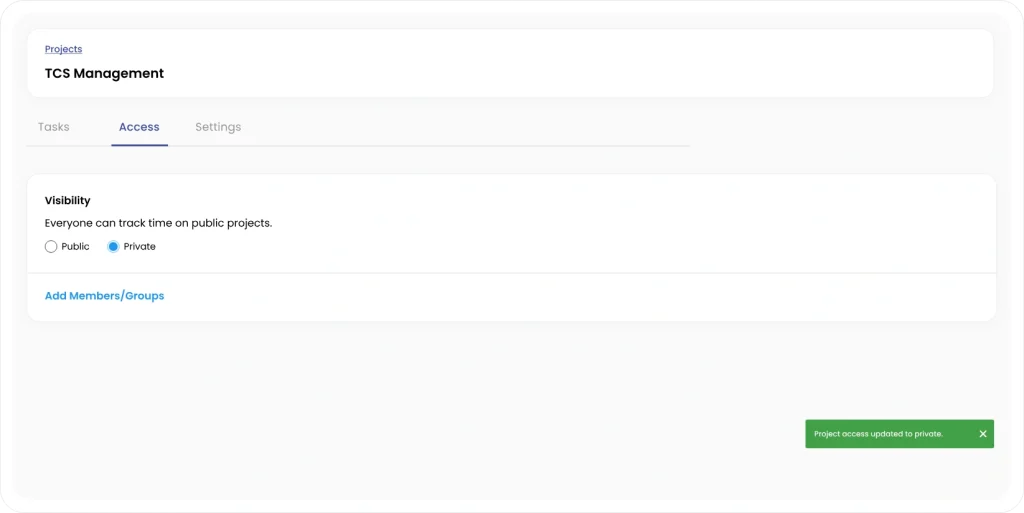
A pop-up notification at the bottom right will update you about the change in access.